
Free MP3 to MIDI Converter — 100% In-Browser
Convert any MP3 to MIDI directly in your browser using AI-powered transcription. No file uploads, no server processing, no signup. Your audio stays on your device — private and fast.
By using this tool, you confirm that you own or have obtained all necessary rights to transcribe the selected audio file and agree to our Terms of Service.
How is this different from other MP3 to MIDI converters?
This converter runs 100% in your browser. Your audio is never uploaded to any server. The AI model (~20 MB) is downloaded once and cached, so repeat conversions are instant — and work even without internet after the first load.
Already have a MIDI file? Convert it to Roblox Piano Sheets →
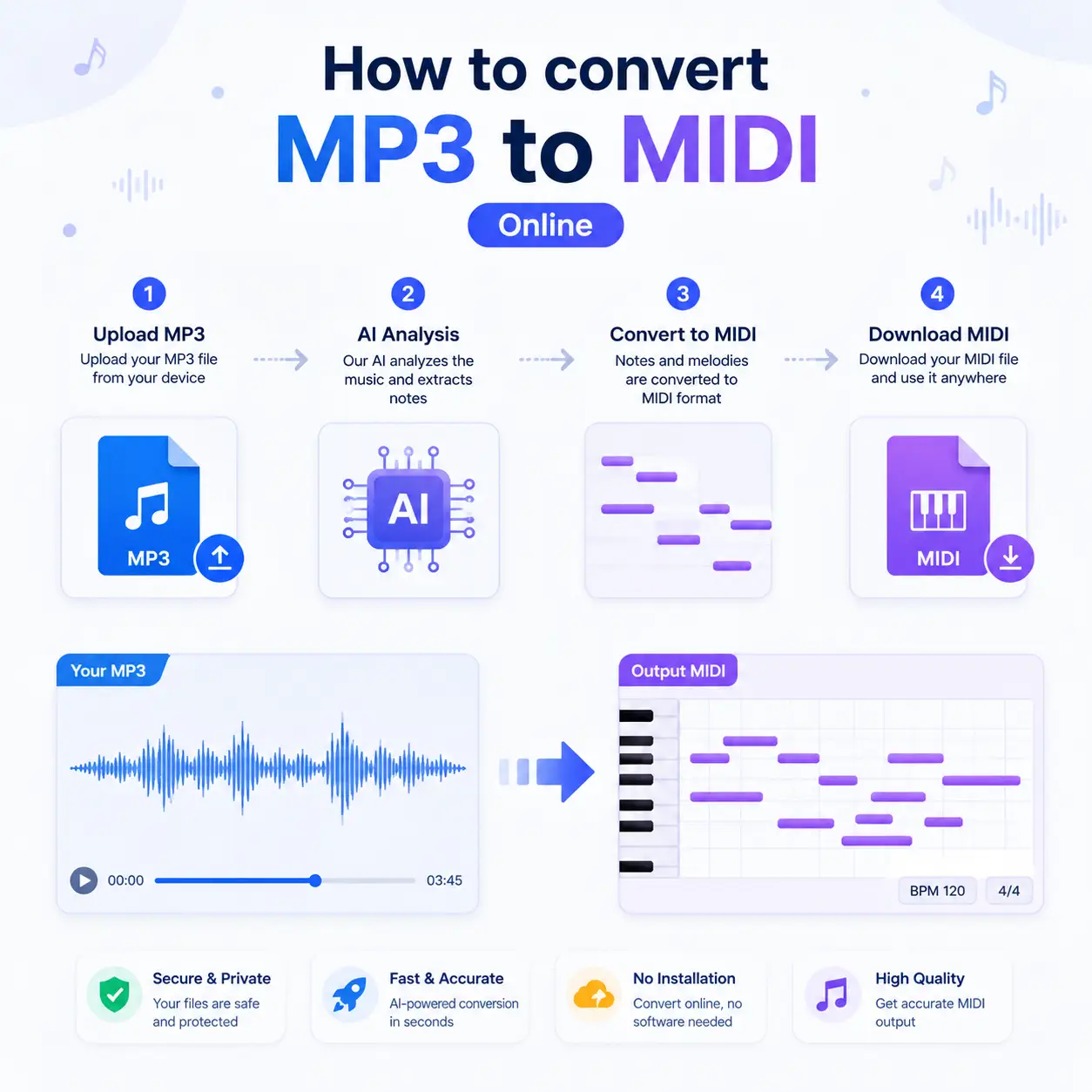
How to Convert MP3 to MIDI — Step by Step
Our free MP3 to MIDI converter uses AI to transcribe audio into MIDI notation. Follow these steps to convert your audio to MIDI in seconds:
- Upload Your Audio FileDrag and drop or select any MP3, WAV, OGG, FLAC, or WebM file. Unlike other MP3 to MIDI converters that require uploads to a server, our tool processes everything locally in your browser using the Web Audio API.
- AI Transcribes Notes AutomaticallyOur MP3 to MIDI converter runs a neural network (Spotify's Basic Pitch) directly in your browser via TensorFlow.js. It detects pitch, onset, and duration for each note — even in polyphonic audio with chords and multiple notes playing simultaneously.
- Download MIDI or Convert to Roblox SheetsOnce the audio to MIDI conversion finishes, download your standard .mid file. You can also send it directly to our MIDI-to-Roblox converter to generate playable piano sheets — a seamless pipeline from MP3 to Roblox piano.
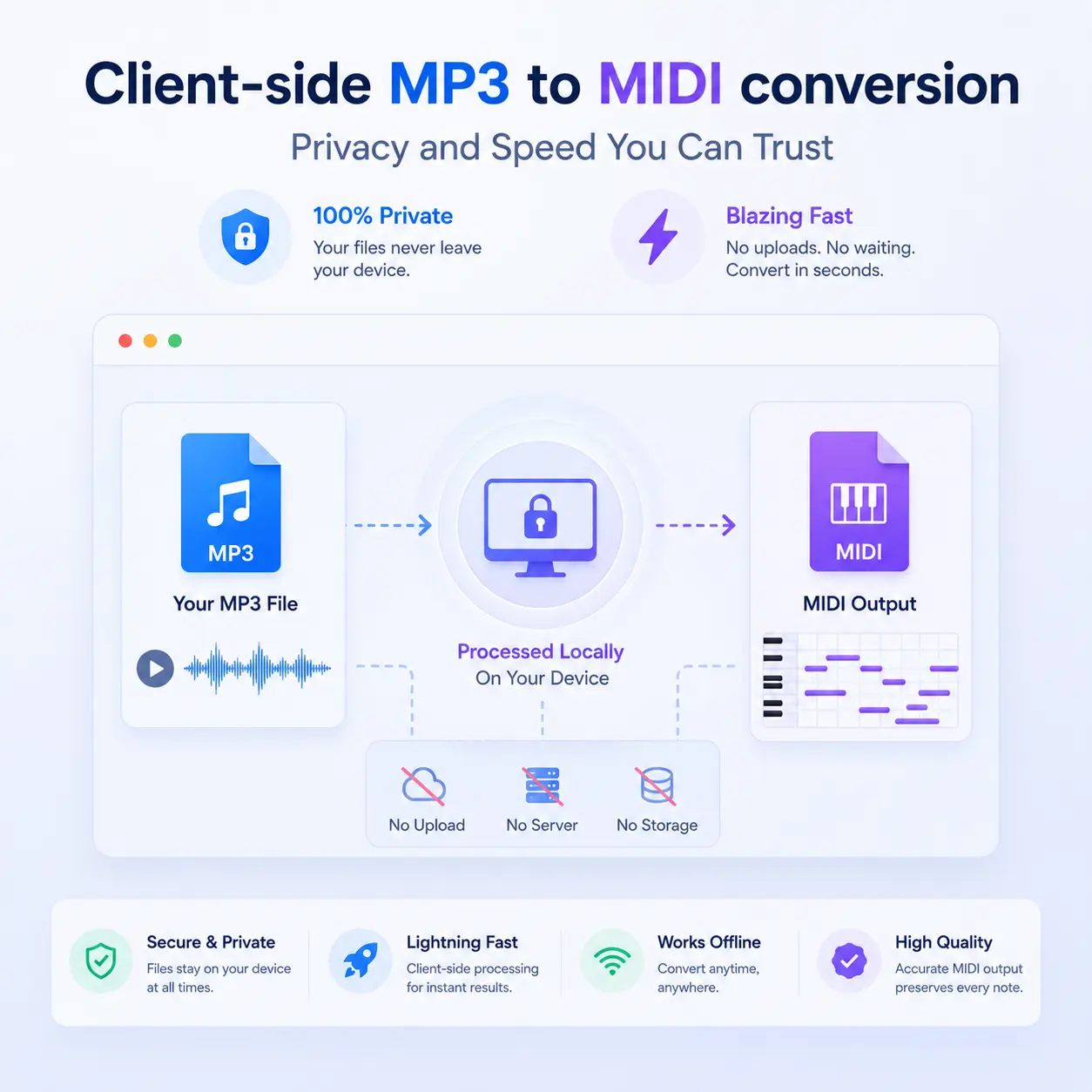
Why Our MP3 to MIDI Converter Runs Entirely in Your Browser
Most MP3 to MIDI converters upload your audio to a remote server. Ours is different. Here's why client-side conversion matters:
- Complete Privacy — Zero UploadsYour audio file never leaves your device. The MP3 to MIDI conversion happens entirely in your browser using local AI inference. No data is sent to any server, making it ideal for unreleased tracks, personal recordings, and copyrighted material you have permission to use.
- No Account or Signup RequiredMany audio to MIDI services require account creation, email verification, or paid subscriptions. Our converter is 100% free with no login required. Open the page, drop your file, get your MIDI.
- Works Offline After First LoadOnce the AI model is cached in your browser, you can convert MP3 to MIDI even without an internet connection. The TensorFlow.js model (~20 MB) is downloaded once and reused across sessions, so repeat conversions are nearly instant.
Tips for the Best MP3 to MIDI Conversion Results
AI-based audio to MIDI conversion works best under certain conditions. These tips will help you get cleaner, more accurate MIDI output from your MP3 files:
Use Solo Instrument Recordings
The MP3 to MIDI converter performs best with single-instrument recordings — especially solo piano, guitar, or vocals. Dense mixes with drums, bass, and multiple instruments playing simultaneously will produce noisier results. If you have a full mix, consider isolating the instrument track first using a stem separator.
Higher Audio Quality = Better MIDI
WAV and FLAC files produce better results than heavily compressed MP3s. When converting audio to MIDI, the AI analyzes frequency content — and compression artifacts (especially at low bitrates like 128kbps) can introduce phantom notes or miss quiet passages. Use 320kbps MP3 or lossless formats when possible.
Keep Files Under 5 Minutes
While there's no hard limit, converting long audio files to MIDI in the browser can be memory-intensive. For best performance, keep files under 5 minutes and 20 MB. For longer tracks, consider splitting them into sections before conversion.
Reduce Background Noise
Background noise, reverb, and room ambiance confuse the AI model. Clean, dry recordings without heavy effects produce the most accurate MP3 to MIDI transcription. If your recording has noise, run it through a noise reduction tool first.
Supported Audio Formats for MIDI Conversion
Our audio to MIDI converter supports all major audio formats that modern browsers can decode. You don't need to pre-convert your files — just drop them in:
How Does AI MP3 to MIDI Conversion Actually Work?
Understanding how the conversion works helps set realistic expectations. Here's what happens under the hood when you convert MP3 to MIDI with our tool:
Step 1: Audio Decoding
Your browser's Web Audio API decodes the MP3 (or WAV, OGG, etc.) into raw audio samples — a stream of numbers representing the waveform. The audio is downmixed to mono and resampled to 22,050 Hz, which is the standard rate for music analysis.
Step 2: Neural Network Inference
The decoded audio is fed into a lightweight convolutional neural network (Spotify's Basic Pitch model) that runs via TensorFlow.js. The model analyzes short overlapping windows of audio and outputs three things for each time frame: note probability, onset probability, and pitch contour.
Step 3: Note Event Extraction
The raw model outputs are post-processed to extract discrete note events — each with a MIDI pitch number, start time, duration, velocity, and optional pitch bend. Notes below the confidence threshold are filtered out to reduce noise.
Step 4: MIDI File Generation
The extracted note events are assembled into a standard MIDI file (Type 1) using the @tonejs/midi library. The result is a fully compatible .mid file that works in any DAW (Ableton, Logic Pro, FL Studio, GarageBand), notation software, or our own MIDI-to-Roblox converter.
MP3 to MIDI Converter — Frequently Asked Questions
Common questions about converting MP3 and audio files to MIDI format using our free online tool.
Is this MP3 to MIDI converter really free?
Yes, 100% free with no limits. There are no file count restrictions, no watermarks on output, no forced signups, and no premium tier. The conversion runs entirely in your browser, so we don't incur server costs for processing.
How accurate is the MP3 to MIDI conversion?
Accuracy depends on the input audio quality. For clean solo piano or guitar recordings, expect 85-95% note accuracy. For complex mixes with multiple instruments, accuracy drops to 50-70%. The AI excels at pitch detection but may occasionally miss very fast passages or extremely quiet notes. For best results, use solo instrument recordings.
Can I convert MP3 to MIDI and then to Roblox piano sheets?
Yes! That's exactly what this tool is designed for. After converting your MP3 to MIDI, click the 'Open in MIDI to Roblox Converter' button to automatically send the MIDI file to our Roblox piano sheets converter. The full pipeline is: MP3 → MIDI → Roblox Piano Sheets.
Why is my MIDI output missing some notes?
The audio to MIDI converter uses confidence thresholds to filter noise. Very quiet notes, extremely fast passages, or notes buried under other instruments may fall below the threshold. Try adjusting the Onset Threshold slider to a lower value (more sensitive) or the Note Threshold slider. Also ensure your source audio is high quality — 320kbps MP3 or WAV is ideal.
Does this tool work on mobile phones?
Yes, the MP3 to MIDI converter works on modern mobile browsers (Chrome, Safari, Firefox). However, conversion may be slower on mobile devices due to limited processing power. We recommend using a laptop or desktop for files longer than 2 minutes.
What's the difference between MP3 to MIDI and audio to MIDI?
They're the same thing. 'MP3 to MIDI' specifically refers to converting MP3 files, while 'audio to MIDI' is a broader term that includes all audio formats (WAV, FLAC, OGG, etc.). Our converter handles both — any audio format your browser can play, we can convert to MIDI.
Is this better than server-based MP3 to MIDI converters?
It depends on your needs. Server-based converters can use larger, more powerful AI models and may handle complex mixes better. Our client-side approach offers advantages in privacy (no file uploads), speed (no network latency), cost (completely free), and availability (works offline after first load). For most use cases — especially solo instrument transcription — client-side quality is comparable to server-based alternatives.
Can I convert YouTube audio to MIDI?
Not directly from a YouTube URL. You'll need to first download the audio from YouTube as an MP3 file (using a third-party tool), then upload that MP3 to our converter. We don't support direct URL input to respect copyright and platform terms of service.
Ready to Convert Your MP3 to MIDI?
Use our free MP3 to MIDI converter above, then turn your MIDI into Roblox piano sheets or practice with our virtual piano.